For reports that allow pictures, RootsMagic will provide a Picture settings slide in.
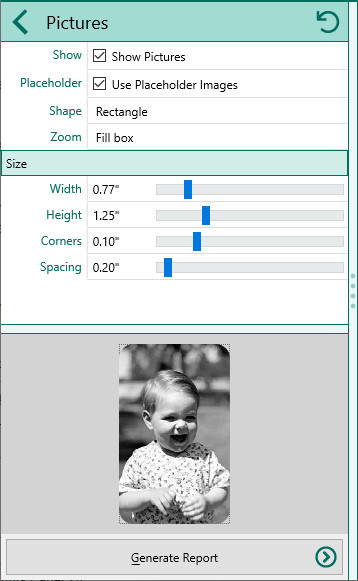
•Show - Check this box if you want to include photos
•Placeholder - Check this box if you want RootsMagic to include a placeholder for people who do not have a primary photo
•Shape - Select the shape of the photos
▪None
▪Rectangle
▪Square
▪Ellipse
▪Circle
•Zoom - Choose how the photo should fill the area
▪Fit inside box
▪Fill box
•Size - Select the size to display the photo in. This lets you select the Width and Height, but also lets you adjust the corner size and spacing